Menu Items
There are several utilities that are accessed through the menu bar.
File>exit
This allows you to exit the program
Serial Port > Find Lazydrinker
If you need to see if a Lazydrinker board is connected to your PC you can select this rather than restarting the software.
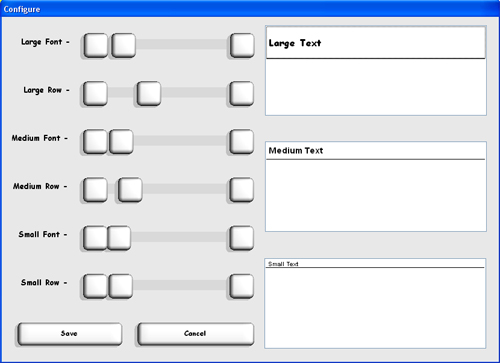
Configure > Font Size
Here you can adjust the sizes of lists as well as fonts used throughout the software. Simply adjust to where you like it and hit 'Save'.
Flush System > Flush
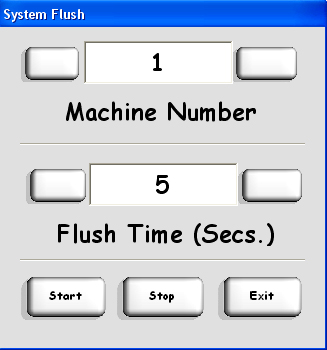
The flush utility is used to help clean your machine. Connect all your cleaning lines, select what machine to clean (1 if you only have 1 machine connected) and how long to cycle each valve. Hit start and the software will open each valve beginning with number 1 and going to 16 in intervals specified in flush time.
| Home | Support | Screenshots | Software | Movies | Purchase |